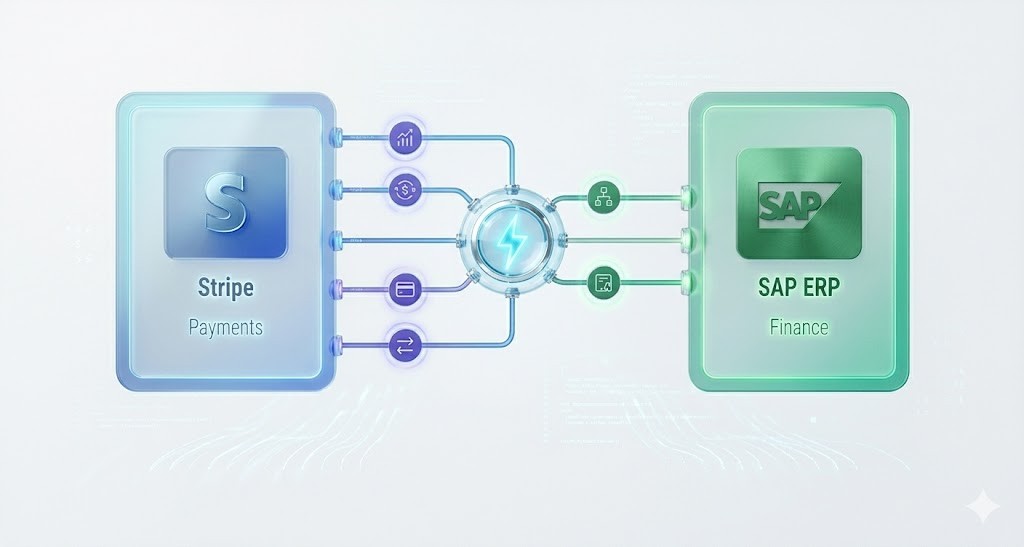
Automating Stripe to SAP synchronization eliminates spreadsheet reconciliation, prevents reporting delays, and ensures finance teams operate with real-time revenue accuracy. Instead of manually exporting Stripe transactions and reformatting them for SAP posting, modern organizations deploy API-driven middleware and agentic workflows to create a continuous synchronization pipeline between billing infrastructure and ERP systems.
Manual reconciliation between Stripe and SAP is one of the most common bottlenecks in modern finance operations. As transaction volumes scale, the traditional CSV-export workflow becomes fragile, error-prone, and impossible to audit efficiently. This technical blueprint explains how to implement a scalable architecture to automate synchronization across payment events, settlements, refunds, subscriptions, and ledger postings using modern workflow orchestration platforms like Agentic Workflows.
Why Automate Stripe to SAP Synchronization?
Finance teams relying on manual synchronization between Stripe and SAP often experience delayed reporting cycles and reconciliation inconsistencies across payment systems and ERP ledgers.
- Manual exports create version-control risk
- Settlement mismatches slow monthly close cycles
- Refund handling introduces accounting drift
- Subscription revenue timing becomes difficult to track
- Audit trails become fragmented across systems
Automating Stripe synchronization ensures every financial event flows directly into SAP's FI environment in near real-time.
Stripe to SAP Synchronization Architecture Overview
A production-ready Stripe-to-SAP integration uses an orchestration layer between payment events and ERP posting logic. Instead of direct exports, webhook-triggered workflows validate transactions before structured SAP ingestion.
Typical architecture pipeline:
- Stripe webhook triggers payment event
- Middleware validates transaction payload
- Mapping engine converts Stripe schema into SAP posting structure
- Workflow routes entries into SAP FI module
- Ledger confirmation returned to reconciliation dashboard
This architecture removes dependency on spreadsheets and enables continuous ledger alignment across billing infrastructure.
Common Challenges When Synchronizing Stripe with SAP Manually
| Challenge | Impact | Automation Solution |
|---|---|---|
| CSV Export Dependency | Manual exports introduce formatting inconsistencies | Webhook-triggered ingestion pipelines |
| Settlement Timing Drift | Mismatch between payment confirmation and ledger posting | Real-time posting workflows |
| Refund Tracking Complexity | Refunds require manual reversal entries | Automated reversal posting logic |
| Subscription Revenue Recognition Gaps | Deferred revenue becomes difficult to manage | Automated lifecycle-based revenue mapping |
| Audit Trail Fragmentation | Compliance risk increases across systems | Centralized workflow logging |
Methods to Automate Stripe to SAP Synchronization
| Method | Scalability | Accuracy | Best Use Case |
|---|---|---|---|
| Manual CSV Sync | Low | Low | Early-stage finance teams |
| Middleware Integration | High | High | Scaling SaaS companies |
| Agentic Workflow Automation | Very High | Very High | Real-time RevOps infrastructure |
Best Workflow Design for Stripe to SAP Automation
Modern finance infrastructure replaces batch synchronization with event-driven architecture powered by intelligent orchestration systems such as AI Workers.
- Stripe event listener captures transaction lifecycle triggers
- Workflow engine validates schema integrity
- Mapping layer converts Stripe objects into SAP posting logic
- Automated reconciliation status confirmation
- Continuous ledger synchronization monitoring
Does Stripe Integrate Directly with SAP?
Stripe does not provide a native SAP ERP connector for finance-grade synchronization workflows. Most organizations deploy middleware orchestration layers to manage structured posting pipelines between billing infrastructure and ERP systems.
This architecture improves:
- Posting accuracy
- Refund lifecycle automation
- Settlement alignment
- Revenue recognition timing
- Audit compliance readiness
Engini's Approach to Automating Stripe to SAP Synchronization
Engini enables organizations to deploy persistent workflow automation layers that synchronize payment infrastructure with ERP systems continuously using Agentic Workflow Orchestration.
- Webhook-triggered SAP posting automation
- Schema validation pipelines
- Refund lifecycle automation logic
- Subscription revenue lifecycle synchronization
- Audit-grade reconciliation logging
Instead of relying on static integrations, Engini deploys adaptive workflows that continuously maintain synchronization across billing and ERP environments.
Conclusion: Building a Real-Time Stripe to SAP Finance Infrastructure
Organizations scaling transaction volume cannot rely on spreadsheet-based reconciliation pipelines. Implementing event-driven synchronization architecture between Stripe and SAP ensures accurate financial reporting, faster close cycles, and stronger audit readiness.
Modern workflow orchestration platforms allow finance teams to automate Stripe to SAP synchronization reliably while eliminating manual reconciliation bottlenecks entirely.
Frequently Asked Questions (FAQ)
Can Stripe integrate directly with SAP?
Stripe does not offer a native SAP ERP connector. Most companies implement middleware orchestration workflows to automate synchronization between Stripe payment events and SAP FI ledger posting.
What is the best way to automate Stripe reconciliation in SAP?
The most reliable method uses webhook-triggered middleware that validates Stripe transactions before mapping them into SAP posting structures automatically.
Does Stripe support SAP ERP integration natively?
No. Integration typically requires API orchestration, workflow automation layers, or agentic synchronization platforms.
Why automate Stripe to SAP synchronization?
Automation improves reporting accuracy, reduces reconciliation workload, accelerates financial close timelines, and ensures audit-ready transaction traceability.