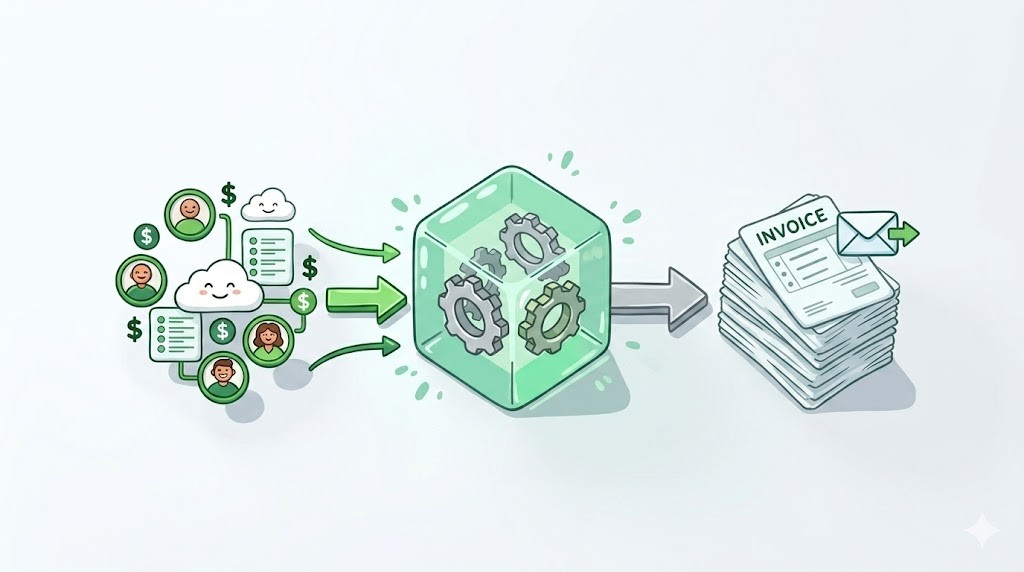
Automated invoicing in Priority ERP allows SaaS companies to generate invoices based on contract rules, subscription lifecycle events, and product usage data without manual finance-team execution. As invoice volume grows, automation becomes essential to maintain billing accuracy and predictable revenue operations.
Modern teams typically implement automation by connecting billing triggers across structured datasets using workflow infrastructure like Engini Tables and integration pipelines built through Engini Connectors.
Organizations implementing invoice workflow automation reduce manual billing effort by up to 70%.
— Gartner Finance Automation Research
What Is Priority ERP Automated Invoicing?
Priority ERP automated invoicing refers to workflows where invoices are generated automatically based on structured operational triggers rather than manual finance actions.
- subscription lifecycle changes
- contract milestones
- usage thresholds
- CRM opportunity status
- renewal events
These triggers are often orchestrated through workflow applications like Engini Apps.
Finance organizations that automate transaction-heavy workflows such as invoicing reduce processing costs by 40–60% while improving revenue visibility.
— McKinsey Digital Finance Transformation Report
Why Manual ERP Invoicing Breaks at SaaS Scale
Manual invoice generation becomes unreliable once multiple operational datasets influence invoice logic simultaneously. High-volume SaaS billing depends on coordination between CRM lifecycle signals, pricing tiers, usage telemetry, and contract amendments.
Teams typically solve this by introducing orchestration logic between CRM and ERP systems using infrastructure like integration connectors.
Usage-based and hybrid billing models increase invoice logic complexity by more than 3×.
— Stripe Billing Infrastructure Benchmark (2024)
Common Bottlenecks Without Priority ERP Invoice Automation
| Bottleneck | Impact |
|---|---|
| Manual invoice triggers | Delayed billing cycles |
| Contract mismatch risk | Revenue leakage |
| Usage calculation errors | Reconciliation overhead |
| CRM–ERP misalignment | Invoice inaccuracies |
Manual reconciliation across disconnected billing systems remains one of the top three causes of delayed revenue recognition in SaaS organizations.
— Deloitte Finance Operations Study
How Priority ERP Automated Invoicing Works
Priority ERP automation workflows typically operate as part of a connected billing architecture that synchronizes operational datasets with finance infrastructure.
- CRM-trigger synchronization
- usage-based calculation logic
- contract rule enforcement
- renewal lifecycle tracking
- payment feedback loops
These orchestration layers are commonly implemented through workflow platforms such as Engini Apps.
Companies connecting CRM lifecycle data directly into ERP billing workflows improve invoice timing accuracy by over 28%.
— IDC SaaS Revenue Automation Survey
Supporting Usage-Based Billing Inside Priority ERP
Usage-based pricing requires invoice logic that reacts dynamically to product activity rather than static billing schedules. Automation enables finance teams to calculate invoice totals accurately across consumption thresholds and contract-specific pricing logic.
Usage signals are typically stored inside structured operational datasets like Engini Tables.
Over 61% of SaaS companies now support usage-based pricing components inside their revenue model.
— OpenView SaaS Benchmarks (2024)
Connecting CRM Data to Priority ERP Invoice Logic
Reliable SaaS billing depends on synchronizing CRM lifecycle activity with ERP invoice triggers. Integration pipelines coordinate onboarding completion, contract activation events, and renewal eligibility updates.
These pipelines are typically powered through infrastructure like Engini Connectors.
Organizations integrating CRM lifecycle signals into finance workflows reduce billing-cycle delays by up to 32%.
— Salesforce State of Revenue Operations Report
When SaaS Teams Should Automate Priority ERP Invoicing
Automation becomes necessary once billing workflows depend on more than one operational dataset or when invoice volume increases significantly across customer cohorts.
- multi-tier pricing
- usage-based billing
- enterprise contract customization
- high invoice volume
- multi-system revenue pipelines
At this stage, teams often introduce workflow assistants like Engini Chat to support internal automation decisions.
Automation adoption accelerates significantly once finance teams exceed 5,000 monthly transaction events.
— PwC Digital Finance Survey
Priority ERP Automated Invoicing vs Manual Billing Workflows
| Capability | Manual ERP Billing | Automated Priority ERP Billing |
|---|---|---|
| Invoice triggers | manual | lifecycle-based |
| Usage pricing support | limited | dynamic |
| Contract enforcement | partial | automatic |
| Revenue visibility | delayed | real-time |
| Scaling readiness | low | high |
Automation improves transaction-processing scalability without increasing finance headcount.
— McKinsey Digital Finance Benchmarking Study
How Engini Supports Priority ERP Automated Invoicing
Engini enables teams to orchestrate invoice triggers across CRM systems, usage datasets, workflow automation logic, and contract rules connected to Priority ERP environments.
Organizations implementing orchestration layers between CRM and ERP systems achieve faster quote-to-cash execution cycles.
— Forrester Revenue Operations Infrastructure Research
Why Automated Priority ERP Invoicing Improves Revenue Predictability
Automated invoicing strengthens revenue infrastructure by ensuring invoice timing aligns with customer lifecycle activity and pricing eligibility rules.
- reduces missed invoice triggers
- prevents contract mismatch errors
- eliminates billing-cycle delays
- reduces reconciliation overhead
Finance leaders ranked billing automation among the top five infrastructure investments supporting predictable revenue growth.
— Gartner CFO Technology Survey
Building Scalable SaaS Billing Infrastructure on Priority ERP
Priority ERP provides a strong financial backbone for SaaS organizations, but scaling billing workflows typically requires automation layers that coordinate operational signals across systems.
By connecting CRM lifecycle activity, contract logic, and usage datasets into structured invoice triggers, companies can support high-volume billing environments without increasing finance-team workload.
Frequently Asked Questions: Priority ERP Automated Invoicing
What is Priority ERP automated invoicing?
Priority ERP automated invoicing generates invoices automatically based on structured operational triggers — subscription lifecycle changes, contract milestones, usage thresholds, and CRM opportunity status — without requiring manual finance-team execution at each billing event.
How does automation help SaaS companies scale billing operations?
Automation connects CRM lifecycle activity, usage datasets, and contract rules into a unified invoice execution layer. This eliminates the manual coordination bottlenecks that compound once billing workflows span multiple operational systems simultaneously.
When should SaaS teams introduce Priority ERP invoice automation?
Teams should introduce automation once billing depends on more than one operational dataset, or when monthly transaction volume exceeds manageable thresholds for manual coordination — typically around 5,000 transaction events per month according to PwC benchmarks.