From 45-Day DSO to 22 Days: An Order-to-Cash Case Study
How a $100M+ ARR B2B SaaS company used AI-native order-to-cash automation to cut DSO from 45 to 22 days across Salesforce CPQ and NetSuite.
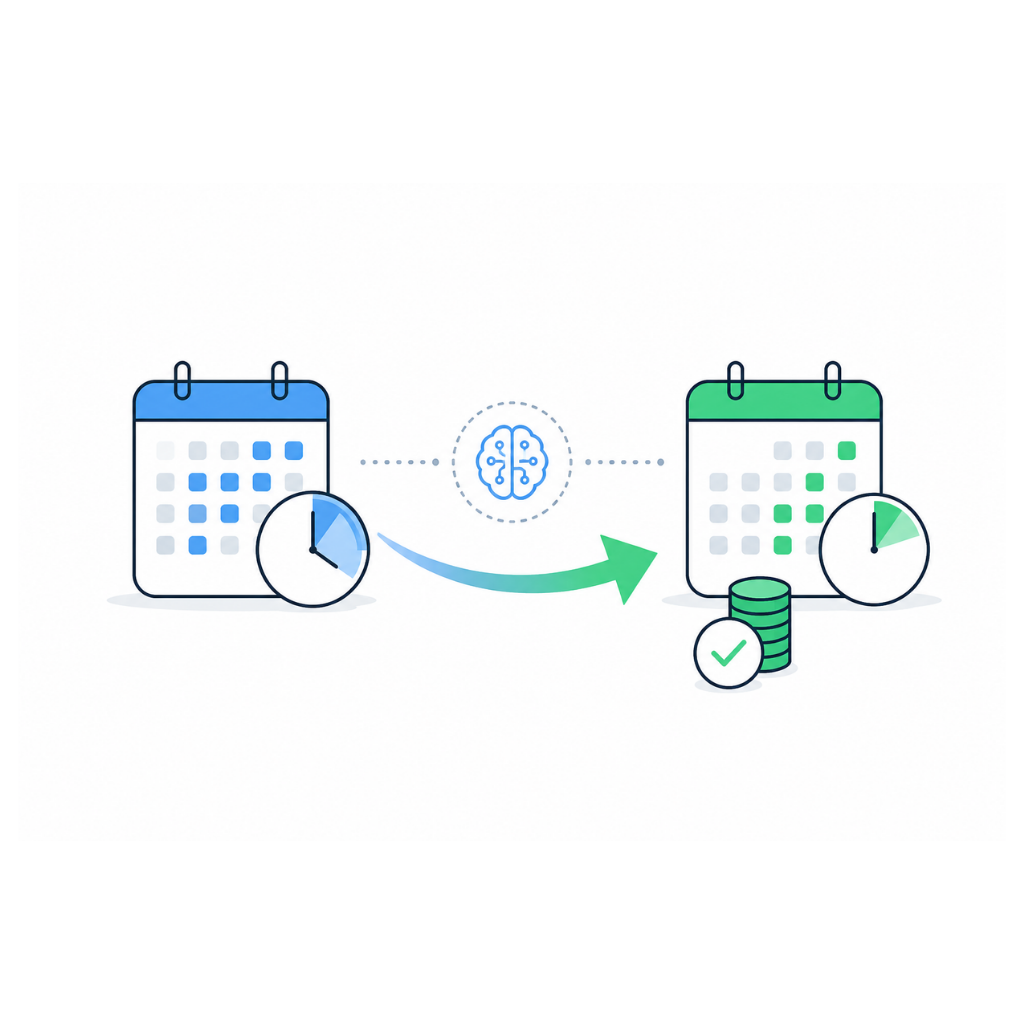
A high-growth B2B SaaS company scaling past $100M ARR cut its Days Sales Outstanding from 45 days to 22 days in five months by replacing rigid middleware between Salesforce CPQ and NetSuite with an AI-native order-to-cash automation layer. This accounts receivable management software case study breaks down the exact framework, exception-handling logic, and cross-system orchestration that closed the gap, and shows how the same approach applies to any enterprise running tiered pricing, multi-year contracts, and usage-based billing.
What Is Order-to-Cash Automation, and Why Did DSO Stall at 45 Days?
Order-to-cash automation is the use of software, and increasingly AI worker agents, to manage every step between a signed contract and cash landing in the bank: order capture, invoice generation, delivery, collections, and cash application. For this $100M+ ARR SaaS company, DSO stalled at 45 days because Salesforce CPQ handled upstream contract logic while NetSuite handled downstream billing, and the two systems disagreed on tiered pricing, mid-term contract revisions, and usage-based line items.
The AR Billing Manager reconciled hundreds of line items by hand every week, the Corporate Controller couldn't close the books on schedule, and the CFO watched working capital erode and debt costs climb, all because two well-regarded enterprise systems were never built to reconcile with each other automatically.
Can AI Actually Help Reduce Days Sales Outstanding for Mid-Sized Businesses?
Yes: AI reduces DSO by continuously matching invoices to contracts and payments in real time, flagging true exceptions instead of burying them in end-of-month reconciliation, and routing edge cases to the right human before they age into overdue receivables. Mid-sized businesses see the fastest gains because their lean finance teams can't manually audit every line item, which is exactly the work an accounts receivable automation platform takes over.
The mechanism isn't "AI reads an invoice faster." An AI worker agent maintains workflow awareness across the order-to-cash lifecycle, it knows a contract was revised in Salesforce CPQ, knows NetSuite hasn't reflected that revision yet, and holds the invoice for review instead of sending it out wrong.
What Are Real Examples of Companies Cutting DSO With AI-Powered Tools?
The clearest examples come from enterprises with layered billing complexity, like this $100M+ ARR SaaS provider running Salesforce CPQ against a NetSuite ledger. Before automation, tiered pricing, multi-year contract amendments, and usage-based overages were reconciled by hand, and the AR team resolved roughly 60 exceptions a week at 40 minutes each.
After deploying Engini's digital worker solutions as an orchestration layer between CPQ and NetSuite, exception volume dropped by more than half within eight weeks, because most mismatches were caught and auto-corrected before an invoice ever reached a customer. DSO fell from 45 to 22 days over five months, and the Controller closed the books three days faster every month.
How Does AI Automate the Accounts Receivable Process to Speed Up Payments?
AI automates the accounts receivable process by continuously reading order, contract, and ledger data across systems, matching each invoice line to its source of truth, and escalating to a human only when the data genuinely conflicts. This accounts receivable automation process compresses the time between invoice issuance and cash application because fewer invoices go out wrong in the first place.
In practice, an AI worker agent watches Salesforce CPQ for contract activation or revision events, cross-checks the resulting billing schedule against NetSuite's revenue recognition rules, and corrects the invoice before it reaches the customer. Usage-based components from a separate metering system get reconciled against the contract ceiling instead of flowing through as an unchecked flat line item.
Why Do AR Exceptions Keep Popping Up Even After Switching to an Automated Workflow?
AR exceptions persist after automation because most "automated" workflows are deterministic scripts that confirm a task ran, not that it ran correctly, a failure mode known as the green dashboard trap. An invoice generated from Salesforce CPQ gets marked processed, NetSuite logs the transaction as a success, and every monitoring tool shows green, while the underlying line items never actually matched.
This is a silent logic failure: no error is thrown because no system checks semantic correctness, only task completion. The invoice sits unpaid until the Controller's aging report shows a 60-day-past-due receivable with a "successful" status attached the entire time. Engini's AI workers close this gap by validating outcomes, not task completion, confirming the numbers reconcile on both sides of the CPQ-to-NetSuite handoff before marking anything resolved.
How Do AI-Powered Tools Handle Payment Mismatches or Duplicate Invoices in AR?
AI-powered AR tools handle payment mismatches by comparing incoming remittance data against open receivables using multiple match criteria (invoice number, PO reference, amount, and customer account) instead of one rigid field. When a payment doesn't match cleanly, the worker agent holds it in a review queue with its best-guess match and reasoning attached, rather than auto-applying a wrong match or dropping it into an unassigned cash bucket.
Duplicate invoices are caught the same way: before issuing an invoice, the agent checks it against recently generated invoices for the same contract line and routes anything ambiguous through human-in-the-loop escalation instead of quietly issuing a second bill. This is the layer of exception handling deterministic scripts consistently miss, because they aren't built to recognize "close but not identical" as worth flagging.
How Do AI Workflow Agents Connect With Legacy ERP Systems in Finance Departments?
AI workflow agents connect to legacy ERP systems through direct, native API integrations rather than brittle point-to-point scripts, maintaining an ongoing understanding of each system's data model instead of a one-time field mapping. Engini's orchestration layer sits above Salesforce, SAP, NetSuite, Oracle, Microsoft Dynamics, Workday, QuickBooks Online, and custom enterprise APIs, giving finance automation teams one coherent view of order-to-cash instead of a patchwork of exports and syncs.
Legacy software limitations aren't usually about missing features; they're about systems never designed to talk to each other in real time. A worker agent with large enough context windows can hold contract history, billing schedule, and ledger state in view simultaneously, catching a discrepancy that a rules-based script checking one field at a time would never see.
Engini vs. Legacy Middleware vs. RPA vs. Spreadsheet-Driven AR
The right AR automation approach depends on how much cross-system reasoning and exception judgment the workflow requires. Rigid connectors handle simple field-to-field syncs well; they break down the moment a contract revision or ambiguous match requires actual judgment; see AI Workers vs. RPA for more on where deterministic bots fail.
| Parameter | Engini (AI-Native) | Legacy Middleware | RPA Bots | Manual/Spreadsheet |
|---|---|---|---|---|
| Enterprise scalability | Built for high volume | Degrades at scale | Costly per added bot | Does not scale |
| Compliance & governance | SOC 2, ISO 27001, GDPR, HIPAA | Varies by connector | Custom-built only | Manual, error-prone |
| AI reasoning | Handles ambiguous data | Rule-based only | Deterministic scripts only | None |
| Human approval loop | Multi-round, built in | Basic alerts only | Rarely included | Fully manual |
| ERP integration depth | Salesforce, SAP, NetSuite, Oracle | Shallow connectors | UI-level only | None |
| Long-running tasks | Days-to-weeks state | Session-based, resets | Fragile long-term | Manual tracking |
| Exception handling | Catches silent failures | Fails silently | Halts on error | Caught if noticed |
| Self-learning skills | 1-click expansion | Not available | Not available | Not available |
| Total cost of ownership | Drops over time | Rises with sprawl | High upkeep cost | Highest, compounds |
Engini: pros and cons
- Pros: reasons across ambiguous cross-system data, maintains long-running workflow state, enforces compliance and audit trails natively, and expands its own skill scope under governance instead of requiring new integration projects.
- Cons: requires an initial legacy-mapping phase to learn a company's specific contract and ledger structure, and is overkill for businesses with low transaction volume or a single, simple billing system.
Which approach fits which team: spreadsheet-driven AR is only viable at very low invoice volume; RPA bots suit narrow, unchanging, single-format tasks; legacy middleware works for simple field-to-field syncs between two cooperative systems; an AI-native orchestration layer like Engini is the right fit once tiered pricing, multi-year contracts, usage-based billing, or more than two connected systems are involved.
The Engini Order-to-Cash Framework: From 45 Days to 22 Days
The transition from 45-day to 22-day DSO happened in three phases over roughly five months, each targeting a different layer of the CPQ-to-NetSuite gap: mapping where the systems disagreed, routing the resulting exceptions, then moving to continuous, real-time reconciliation.
- Legacy mapping (weeks 1-4): Engini's AI workers read the full contract structure in Salesforce CPQ, including every tiered pricing rule and multi-year revision, and mapped it against NetSuite's revenue recognition and billing schedules to surface where the two systems disagreed.
- Exception routing (weeks 5-10): Worker agents classified each mismatch by type (pricing tier drift, contract amendment lag, usage overage) and routed each type through the correct multi-step approval chain, with the AR Billing Manager reviewing only genuinely ambiguous cases.
- Continuous reconciliation (weeks 11-20): With exception volume down, the AI workers moved to real-time ledger balancing, catching discrepancies as they occurred rather than at month-end, which let the Controller compress the close cycle and let DSO settle at 22 days.
The operational shift mattered as much as the DSO number: the AR Billing Manager's week went from roughly 80% manual exception chasing to mostly reviewing edge cases and working with the Controller on vendor and customer terms, while every AI-driven correction still stayed inside the CFO's governance requirements, with nothing posting to the ledger without an audit trail.
Engini Order-to-Cash Framework Reviews: How Flexible Is It in Practice?
Teams running the Engini order-to-cash framework report that its flexibility comes from 1-click self-learning: an operations manager can expand an AI worker's skill scope directly from interaction data logs, without a developer rewriting integration logic. When the AR Billing Manager repeatedly resolved a new type of usage-based mismatch the same way, that resolution pattern became a reusable skill the worker agent applied automatically going forward.
Legacy middleware requires a new script and a new deployment for every new exception type. Engini's worker agent in agentic AI architecture instead expands its own scope under governance guardrails, not around them, so flexibility doesn't come at the cost of control.
Accounts Receivable Automation Best Practices: Implementation Checklist
Enterprises evaluating an accounts receivable invoice automation rollout should treat it as a phased program, not a single integration project. This checklist reflects the sequence that worked for this SaaS company's CPQ-to-NetSuite transition.
- Map every contract structure and pricing tier currently live in the CRM/CPQ system before touching the ERP integration.
- Identify silent logic failures already occurring; audit a sample of "successful" invoices against actual payment status.
- Define runtime guardrails and dollar thresholds that require human-in-the-loop approval before go-live.
- Deploy AI workers against the highest-volume exception category first, not the whole AR process at once.
- Confirm SOC 2, ISO 27001, GDPR, or HIPAA requirements are met natively, not bolted on after deployment.
- Give the AR Billing Manager visibility into every auto-resolved exception for 60-90 days before scaling scope.
- Use 1-click self-learning to expand skill scope only after a resolution pattern has repeated consistently.
Key Takeaways
The core lesson from this case study is that DSO improvement rarely comes from a single new tool; it comes from closing the reconciliation gap between the systems that already run the business.
- DSO dropped from 45 to 22 days by replacing rigid CPQ-to-NetSuite middleware with an AI-native orchestration layer.
- The green dashboard trap (invoices marked "successful" while remaining unpaid) is the single biggest hidden driver of high DSO.
- AI worker agents reduce exceptions by validating outcomes across systems, not just confirming that a task ran.
- Human-in-the-loop escalation and multi-round approval chains keep AI-driven AR automation inside enterprise compliance requirements.
- 1-click self-learning lets the AR team expand automation scope without a new integration project for every exception type.
Where Can I Sign Up or Try a Demo of an AI-Powered Workflow for Overdue Invoices?
Finance teams evaluating an accounts receivable platform for overdue invoice management can request a personalized architecture review directly from the Engini team, walking through their own Salesforce CPQ, NetSuite, SAP, or Oracle environment instead of a generic demo script. That review typically surfaces which exception categories are driving DSO up before any implementation work begins.
Frequently Asked Questions
What is accounts receivable management software, and how is an AI-native platform different?
Accounts receivable management software tracks invoices, payments, and customer balances across the order-to-cash cycle, usually inside a single ERP or a bolt-on module. An AI-native accounts receivable platform like Engini reads live data across CRM, CPQ, and ERP systems simultaneously and reconciles them in real time, because most DSO inflation is caused by invoices that were wrong the moment they were generated, not by slow-paying customers.
What is the difference between agentic AI and RPA in accounts receivable automation?
Traditional RPA executes fixed, scripted steps and fails silently the moment incoming data deviates from its expected template. Agentic AI worker agents reason across ambiguous data the way a skilled AR analyst would, holding contract history, billing schedules, and ledger state in context and escalating to a human only when a decision genuinely requires judgment; see AI Workers vs. RPA for more detail.
How do I reduce DSO without adding headcount to the finance team?
The fastest way to reduce DSO isn't chasing slow-paying customers harder; it's closing the gap between the systems that generate invoices and the systems that record payments, since most DSO inflation comes from unresolved exceptions sitting silently in the reconciliation queue. In the case study above, closing that gap between Salesforce CPQ and NetSuite cut exception volume by more than half without adding AR headcount.
Is Engini an integration platform or a chatbot tool?
Neither. Engini is an AI-native enterprise workflow orchestration platform, the operating layer that lets autonomous digital workers execute long-running, cross-system finance processes with human governance built in, not a chat window layered on top of existing software. Engini's AI workers actively read, reconcile, and act on data across Salesforce, NetSuite, SAP, Oracle, Microsoft Dynamics, Workday, and QuickBooks Online.
How does Engini handle AI accounts receivable security and compliance?
AR automation touches sensitive contract, payment, and customer data across systems, so it needs enterprise-grade compliance built in rather than added after deployment. Engini supports SOC 2, ISO 27001, GDPR, and HIPAA compliance frameworks out of the box, with every AI-driven correction maintaining a full audit trail and every action above a configured threshold routed through human approval; see the Security page for full detail.
Can Engini's order-to-cash automation work alongside our existing NetSuite, SAP, or Salesforce CPQ setup?
Yes. Engini integrates natively with Salesforce, SAP, NetSuite, Oracle, Microsoft Dynamics, Workday, QuickBooks Online, and custom enterprise APIs, sitting above the existing stack as an orchestration layer instead of requiring a system replacement. The case study above went from initial evaluation to production monitoring of live CPQ-to-NetSuite exceptions in weeks, because Engini reads each system's existing data model rather than requiring custom middleware.
What is an AR automation case study, and why does it matter for evaluation?
An accounts receivable automation case study documents how a real enterprise reduced DSO, exception volume, or close time under real transactional complexity (tiered pricing, multi-year contracts, usage-based billing) rather than a simplified demo scenario. It matters because vendor claims about invoice automation software are easy to make and hard to verify without seeing performance against messy, real contract and ledger data.
How long does it take to see DSO improvement after deploying AI-native AR automation?
In the case study above, measurable exception-volume reduction appeared within eight weeks, with DSO fully compressed from 45 to 22 days by month five as continuous ledger reconciliation replaced the month-end batch process. Timelines vary with transaction volume and how many upstream and downstream systems are involved.
What happens when an AI worker agent can't resolve an AR exception on its own?
It escalates through human-in-the-loop review with its findings and reasoning attached, rather than guessing or silently failing the way a rigid script does. A human decision-maker, typically the AR Billing Manager or Corporate Controller, stays in control of anything the system can't confidently resolve, while the large majority of exceptions still clear automatically.
Does 1-click self-learning risk breaking compliance rules as the AI worker's scope expands?
No. Skill expansion happens within the runtime guardrails an operations manager configures, so new capabilities are added under the same governance and approval rules already applied to existing workflows. A resolution pattern only becomes a reusable skill after repeating consistently; it never bypasses the compliance boundary already set.
How is Engini different from HighRadius, Bill.com, BlackLine, Quadient (YayPay), or Tesorio?
Most established accounts receivable software in this category was built around deterministic rules and rigid API scripts that work well for standard invoices but break down against custom contract revisions, tiered pricing, and usage-based billing. Engini's difference is architectural: an AI-native orchestration layer with workflow awareness and human-in-the-loop exception handling built in from the start, which is what lets it catch green dashboard trap failures that rules-based platforms structurally cannot see.
Ready to Compress Your DSO?
Enterprise finance teams running Salesforce CPQ against NetSuite, SAP, or Oracle do not need to replace their core systems to eliminate a growing AR exception backlog. They need an AI orchestration layer that can do what rigid middleware cannot: read contract context across systems, catch mismatches before an invoice goes out wrong, and maintain a complete audit trail automatically.
Engini works directly with CFOs, Corporate Controllers, and AR Billing Managers at high-growth B2B SaaS and enterprise organizations to automate the full order-to-cash lifecycle: contract-to-invoice matching, exception routing, ledger reconciliation, and full-population audit logging, all running non-invasively on top of the ERP and CPQ stack the business already has.
Schedule a demo with the Engini team to see how the platform performs against your specific contract complexity, billing cadence, and CRM-to-ERP environment.