NetSuite Automated Cash Application: Limits & API Solutions
Learn how NetSuite automates cash application, where native matching requires additional handling, and how APIs support complex payments and financial controls.
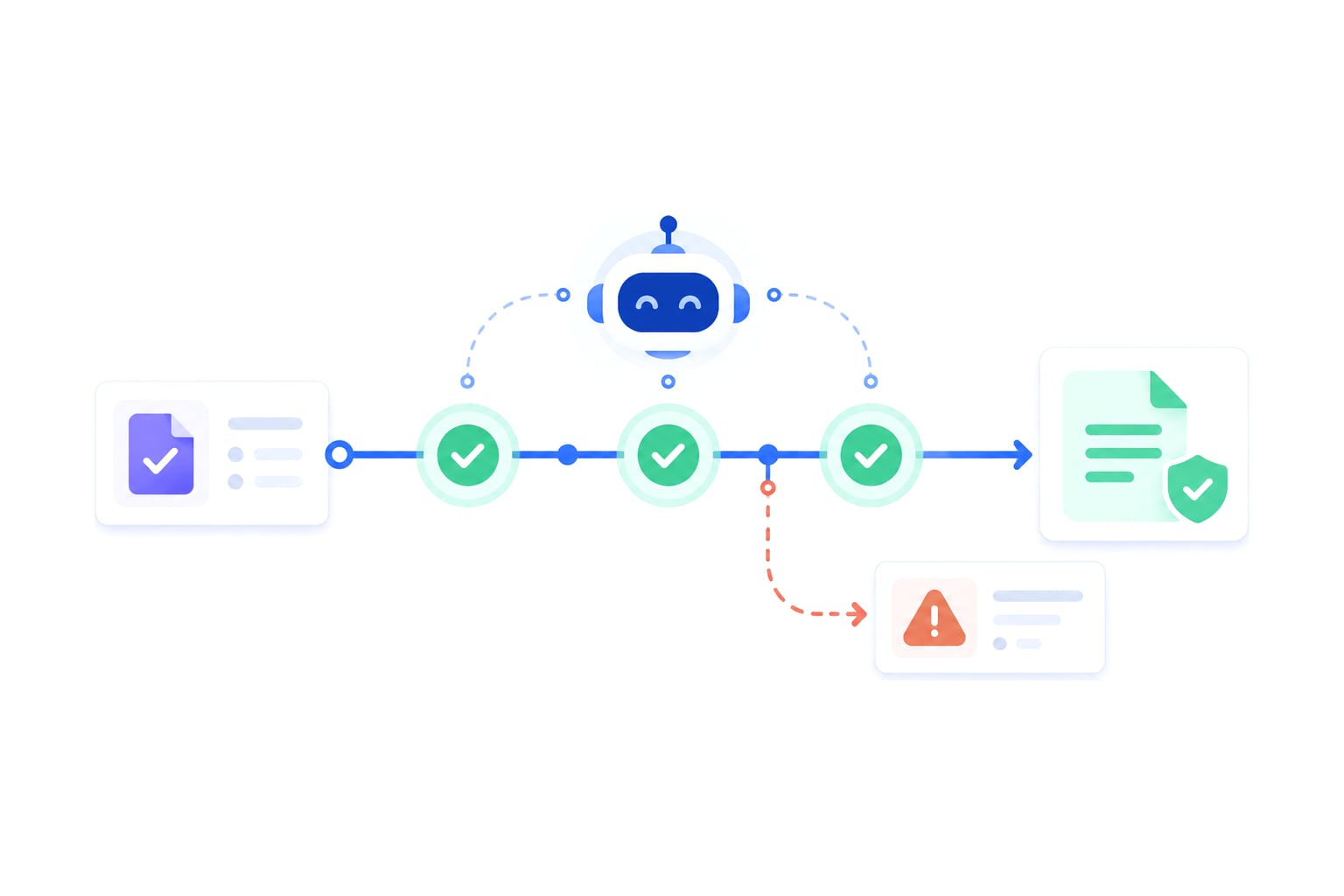
If you own RevOps or finance systems and just tried to clear bank lines in Oracle NetSuite before close, this is for your workflow. NetSuite automated cash application generates customer payments from imported bank lines and applies them to open invoices, so cash can move toward reconciliation with less manual entry.
The hard part starts when the payment is real, but the match is not clean. A short payment, a consolidated remittance, or a bank line with no invoice numbers can push native matching beyond its useful boundary.
That’s where the proper architecture comes into play. Finance needs control over the general ledger, month-end close, and audit trail, while builders need a safe way to apply payments already received to the right open invoices through the NetSuite API.
Today, we’re going to look at how to set an automated cash application in NetSuite to achieve both goals.
Key Takeaways
- NetSuite can generate customer payments from imported bank lines and apply them to open invoices when its matching criteria are met.
- Native matching works best when the bank line identifies the correct customer and includes usable invoice references or sufficient information for invoice suggestions.
- Short payments, unidentified payers, consolidated remittances, and currency restrictions may require additional review, another NetSuite workflow, or custom integration logic.
- API-based payment application requires appropriate permissions, validation, error handling, and records of what was changed to support reliable reconciliation.
- Engini provides one managed execution layer for AI agents across NetSuite and other enterprise systems, centralizing connectivity, permissions, monitoring, and auditability.
Automating the Cash Application Process
To automate cash application in NetSuite, you need bank data, open invoices, customer payments, and matching rules that can connect one to the other.
Oracle describes automated cash application as the step before manual matching on the Match Bank Data page: NetSuite generates customer payments from imported bank lines that have no matching payment, applies them to open invoices, then matches and clears them.
The operating model is simple – cash comes in through bank lines. NetSuite assigns a customer to each positive bank line, proposes the open invoices to apply it to, and generates the payment when you submit. The payment is then matched to the bank line and cleared.
In practice, the work is less simple. Month-end close slows down when accounts receivable has to copy remittance details, search open invoices, split payments, and explain unmatched bank lines. And so, every manual correction becomes another control point for finance.
A workable automation process usually has five parts:
- Bank data enters NetSuite through bank feeds or CSV import.
- NetSuite identifies the customer associated with an eligible positive bank line.
- NetSuite displays the referenced invoices or suggests open invoices when no invoice numbers are provided.
- Finance reviews the proposed allocation and resolves exceptions before submission.
- Payment applications are recorded with enough detail to support reconciliation and subsequent review.
Native tools are often enough when payment and invoice data line up cleanly. More complex exceptions may require another NetSuite payment workflow or additional integration logic when the automated matching feature cannot represent the required allocation.
Native Data Import and Setup Requirements
Native cash application depends on the quality of data entering NetSuite. Before matching can work, bank lines need to be available through bank feeds or a CSV import, and the relevant NetSuite records must be visible to the role doing the work.
The setup checklist should ideally connect each configuration step to the control it supports. This means that:
- Bank feeds or CSV files should bring in the bank lines needed for reconciliation because matching starts with imported bank data.
- User roles should include the permissions required to view and work with bank data so finance can control who touches cash application.
- Accounting preferences, including "Apply Payments Without Invoice Numbers", should match how you apply customer payments because NetSuite uses that preference when a bank line has no invoice numbers.
- Customer records, invoices, and payment records should use consistent identifiers so customer mapping rules have usable data.
How the Native Matching Algorithm Works
NetSuite’s native matching works in two steps: it identifies the customer for each bank line, then decides which open invoices the payment covers. Oracle describes the customer step as three checks in order:
- An exact match needs the customer name, customer ID, or invoice numbers in the bank line.
- If that fails, a preferred match uses your customer mapping rules on the Payor and Memo fields.
- If that fails too, a partial match uses a similarity algorithm to compare Payor and Memo values with customer names.
The customer mapping rules themselves come from your own choices. When you pick a customer for an unmatched bank line, you can save a rule that links its Payor and Memo values to that customer, and NetSuite will then use it on future bank lines.
Invoice allocation follows the customer as well. If the bank line specifies invoice numbers, NetSuite shows the invoices the payment will be applied to. If not, it lists suggested invoices based on the "Apply Payments Without Invoice Numbers" preference. NetSuite allocates the amounts automatically, and you can then change applied amounts or remove invoices before you submit.
Tip: False positives are the control risk here. A partial match is a similarity guess on payer text, so if it points to the wrong customer, you have to catch it before it affects reconciliation or the general ledger.
Where Native NetSuite Matching Stops
Native NetSuite matching works well when the cash receipt follows expected data patterns. The boundary appears when business reality is more complex than the matching logic can safely infer.
That doesn’t mean NetSuite cannot process these payments. Its Automated Cash Application feature is one available workflow, and other native payment functions or integration approaches may support exceptions that automated matching cannot resolve directly.
With that said, common exceptions include:
- Invoices in a different currency from the bank account.
- Consolidated payments that cover more than one customer.
- Short payments with no clean remittance explanation.
- Unidentified payer names.
- Parent and child customer ambiguity.
These are the cases where you end up with a manual queue. The cash has arrived, but applying it without the right accounting treatment and review creates unnecessary risk.
Subsidiary and Currency Checks
Oracle’s automated cash application pages don’t describe cross-subsidiary behavior, so we recommend treating it as a question for your finance reviewers rather than viewing it as a known NetSuite limit. Oracle does note, however, that open invoices under a customer’s top-level customer or subcustomer aren’t listed for the bank line, so you have to change the customer to see them.
Your reviewers should therefore check which entity owns the invoice, which entity received the cash, and how the application affects the general ledger.
As for currency, it is well documented – you can only apply payments to invoices in the same currency as the account, and for a multicurrency customer NetSuite suggests invoices that match the bank line’s currency. Exchange-rate differences, fees, and timing gaps are still yours to review, though.
The Automated Cash Application feature also generates a payment for one customer at a time. For payments involving multiple customers, Oracle documents a separate customer-payment workflow that uses the "Consolidated Payments" feature when enabled.
Note: NetSuite may still allocate an amount automatically. That doesn’t mean the application is safe to post without review.
Complex Remittances and Short Payments
Complex remittance breaks native matching because one bank line can represent invoice allocation, deduction logic, and payer identity at the same time. A single incoming payment may cover multiple open invoices, include a deduction, and reference payer details that don’t match the customer record.
A common pattern looks something like this:
- The bank line shows one consolidated payment.
- The remittance points to multiple invoice references.
- One invoice is short paid because of a dispute or agreed deduction.
- The payer name doesn’t match the customer name in NetSuite.
That creates four matching problems at once:
- Without invoice numbers on the bank line, NetSuite falls back to suggested invoices, so the remittance may need additional matching work.
- A short payment needs a finance-approved explanation and treatment.
- An unidentified payer needs customer mapping review.
- A false positive could apply cash to the wrong customer or invoice.
These exceptions are the focus of automated remittance matching, where payment information may need to be gathered from bank feeds, emails, documents, and ERP records before an allocation can be approved.
The issue here is not one of just matching decisions, either. Finance also needs a reliable record of how the payment was allocated, which exceptions were approved, and whether the transaction was completed successfully.
Executing Cash Application via the NetSuite API
When automated matching cannot handle the required allocation, NetSuite's API provides another way to implement supported payment workflows.
Oracle’s NetSuite API access goes through SuiteTalk REST web services, including record-level interaction through REST. That gives builders a path beyond the native UI when the matching logic can’t safely resolve an exception.
The exact record operations available though depend on NetSuite's supported APIs, the account configuration, and the permissions of the integration identity as API access alone does not automatically authorize every possible payment allocation.
Your architecture should therefore treat a cash application as a workflow instead of a one-shot API call. This is because a one-shot call can write a record, but it also often leaves the hard control questions outside the system, questions like:
- Which input triggered the payment application?
- Which open invoices were considered?
- Which custom records or custom fields affected the decision?
- Which role had permission to write?
- What happened when a write failed?
Custom middleware and iPaaS platforms can implement these controls, including support for customized NetSuite records, monitoring, audit trails, and recovery. The trade-off is how the organization manages the resulting connections, policies, and operational responsibilities.
That becomes particularly important when an AI agent needs information from other applications before determining the appropriate NetSuite action.
Managing Execution Across NetSuite and Other Systems
Engini's Agent Gateway provides one managed execution layer for AI agents working across NetSuite and other enterprise systems. Rather than maintaining separate agent-facing integrations for each application, teams can use Engini's enterprise connectors to access the systems involved in a workflow.
For cash application, an agent might need remittance details from an email or document system, customer information from a CRM, and open invoice data from NetSuite. Each application then has its own connection requirements, permissions, and monitoring needs.
At Engini, we bring those agent-facing responsibilities into one managed layer while the connected applications continue to enforce their own permissions, validation rules, and accounting requirements.
Our Agent Gateway supports governed execution through several capabilities:
- Intent Resolution: Surfaces relevant tools for an agent's task rather than exposing every available action.
- Managed connectivity: Helps maintain the connections agents use as enterprise application requirements change.
- Agent Policy: Enforces scoped permissions and guardrails for actions routed through the platform.
- Execution monitoring: Records actions and surfaces failures for investigation and review.
This approach is especially relevant when cash application depends on several enterprise systems rather than one NetSuite integration. It does not mean conventional integration platforms lack these capabilities, though – only that Engini provides one managed, agent-facing layer across the systems involved.
Applying Payments Through a Controlled Workflow
A typical API execution pattern looks something like this:
- Read the bank line and remittance data.
- Read open invoices, customer records, and relevant custom fields.
- Determine the intended allocation and check whether it meets the configured business rules.
- Obtain finance approval when the transaction falls outside permitted tolerances or requires an exception decision.
- Apply the payment through a supported NetSuite API operation.
- Record the inputs, permissions, outcome, and any failure requiring review.
Additionally, the workflow should also check whether a payment or allocation has already been processed before retrying a failed request. That helps prevent duplicate transactions when an API response is lost or a request partially completes.
Engini can coordinate agent-facing execution and monitoring across the connected systems, while NetSuite remains responsible for enforcing the account's underlying record permissions and accounting rules.
Audit Trails and Reviewable Writes
Generally speaking, you don’t block automation just because you dislike APIs. You do this to unmonitored writes because the system of record needs evidence.
With that said, a payment application can change the accounting picture. It affects open invoices, customer balances, reconciliation, and the general ledger. And so, if the write fails halfway, finance needs more than an error message.
A governed execution layer should therefore capture:
- The source bank line or remittance input.
- The customer and open invoices considered.
- The NetSuite records read before the write.
- The NetSuite records changed by the write.
- The role or scoped permission used.
- The timestamp and workflow step.
- The failed write and its error context.
A few other things to keep in mind here include:
- That audit trail supports SOX-sensitive controls because reviewers can see what happened and who had access. It also separates execution from approval, so the automation should prepare or perform the write only within defined guardrails.
- Failed writes matter just as much. A failed write shouldn’t disappear into a script log that only one developer can read, but instead surface to the right user, show the audit trail, and allow replay after the underlying issue is corrected.
- Replay must still respect the destination system's state. A failed request should not simply be submitted again without checking whether the original operation partially succeeded or changed any records.
Comparing Approaches to Cash Application Automation
Cash application automation can use several approaches, depending on the complexity of the workflow and the control requirements around the system of record.
| Approach | Where It Fits | Main Consideration |
|---|---|---|
| Native NetSuite matching | Imported bank lines that can be matched to customers and supported invoice allocations. | More complex exceptions may require manual review or another native NetSuite workflow. |
| Custom scripts and APIs | Targeted payment rules and integrations that technical teams can develop and maintain. | Teams own the implementation, testing, ongoing maintenance, and operational controls. |
| Traditional middleware and iPaaS | Established integrations that need centralized mapping, monitoring, governance, and error handling. | Agent-facing execution across several systems may require additional orchestration and policy design. |
| Managed agent execution layer | AI agents that need governed access and coordinated execution across NetSuite and other applications. | Adds value when agents act across multiple systems; may be unnecessary for straightforward native matching. |
For basic matching, NetSuite's native functionality may be the go-to choice. Custom scripts or iPaaS can support more complex processes when teams have the resources and existing infrastructure to maintain them.
Engini becomes relevant when the cash application workflow involves agents acting across NetSuite, CRM, document management, and other enterprise applications.
Aligning Automation With Financial Controls
Cash application automation has to respect financial controls because it touches the order-to-cash process. After all, a payment application changes the status of open invoices, affects customer balances, and feeds reconciliation activity before month-end close.
This means that the general ledger needs integrity and not just speed. If automation applies cash to the wrong invoice, the error can move into reporting, collections, dispute management, and customer communication.
Clean cash application also improves order-to-cash visibility because finance can see which open invoices remain unpaid, which supports Days Sales Outstanding (DSO) analysis.
A finance-approved design usually separates three responsibilities:
- Decision logic: Identifies the likely invoice allocation and evaluates any exceptions.
- Execution logic: Applies the approved payment allocation through the supported NetSuite workflow.
- Control logic: Enforces permissions, approval requirements, monitoring, and failure handling.
That separation keeps the system of record protected. Builders can automate the work, but finance can still review how the work happened.
The cost of exceptions is also operational. When remittances remain unresolved, AR teams spend more time investigating payments and reconciling balances instead of addressing higher-value finance work. The cost of manual cash application becomes even more significant as payment volumes and exception queues grow.
Tip: Use the control model to decide who can approve, who can execute, and who reviews a failed write. A single payment with clean customer mapping may only need native review, while ambiguous allocations and entity-level constraints can require additional approval and reconciliation steps.
Connecting NetSuite Cash Application to Your Other Systems
NetSuite's Automated Cash Application feature can handle straightforward matching without requiring custom integration infrastructure. When exceptions become more complicated, teams can use other supported NetSuite workflows or implement additional automation through its APIs.
Your decision should ultimately depend on where the payment information lives, how allocations are approved, and how the resulting transactions are monitored.
For AI-driven processes involving NetSuite and other enterprise applications, Engini provides one managed execution layer across those systems. We help teams coordinate agent-facing connections, permissions, and monitoring without building a separate execution layer for every integration.
So, go ahead and use Engini today to connect your AI agents to NetSuite and the other applications involved in payment processing and reconciliation through one managed execution layer.
Agent gateway
Ship agents into systems you can’t afford to break
Agent gateway and workflow automation on one iPaaS core: MCP, SDK, API, or canvas, with secure auth, audit trail and tool permissions built in.
Frequently Asked Questions
How to prevent duplicate payments when retrying a failed NetSuite API request?
Use idempotency controls to identify whether a payment application has already been processed before retrying it.
Assign a stable reference to the source transaction, check the relevant NetSuite records, and confirm whether the previous request failed completely or partially succeeded. Note that an automatic retry should not create another customer payment or apply the same cash twice.
What happens when remittance details arrive separately from the bank payment?
The workflow needs to connect the bank transaction to its supporting remittance information before allocating the cash.
For example, the payment may appear in a bank feed while its invoice references arrive in a separate email or PDF. Automation can retrieve the remittance, identify the associated customer and invoices, and propose an allocation. If the evidence remains ambiguous, the payment should be routed for review rather than applied based on an uncertain match.
Can AI agents apply customer payments without human approval?
They can execute approved actions automatically when the integration supports those actions and the organization's financial controls permit them.
For example, a business might allow automatic application when the customer, invoice, currency, and amount match within defined rules. Short payments, disputed deductions, or ambiguous customer relationships may instead require finance approval.
The key thing to note here is that approval boundaries must be enforced through the workflow and connected systems instead of being left solely to the AI agent's discretion.