NetSuite Integration Platform (NSIP) for AI Agents: Capabilities and Limitations
Learn how NSIP supports ERP integrations, where it fits AI agent workflows, and when agents need governed execution across NetSuite and other systems.
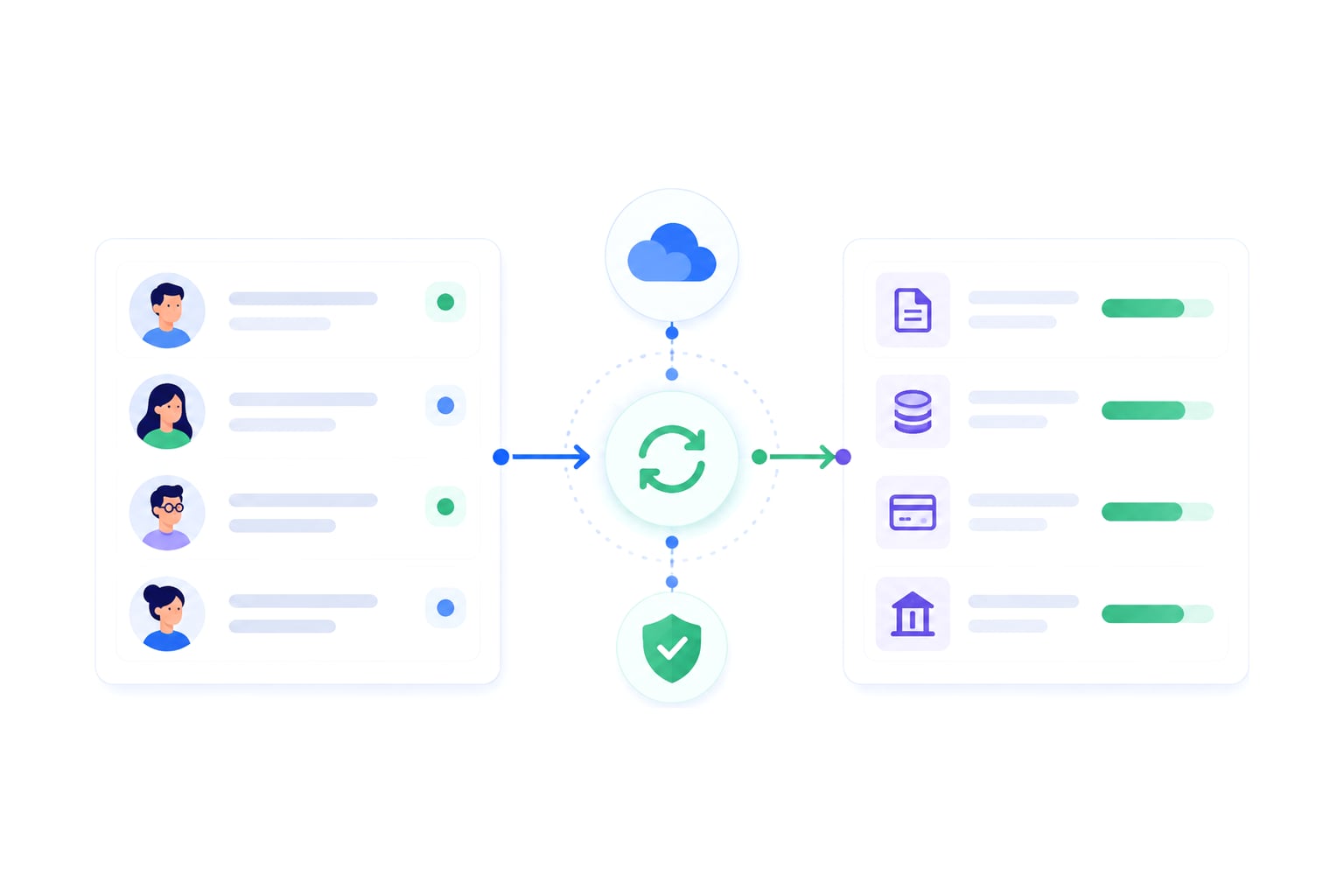
Oracle NetSuite Integration Platform (NSIP) gives teams a structured way to connect NetSuite with other applications, automate workflows, and move data across enterprise systems. For predefined integrations with known triggers, mappings, and destinations, that model works well.
AI agents, however, introduce a different integration challenge.
Instead of simply running a predefined workflow, an agent may need to decide which action to take at runtime, access a custom NetSuite record or field, and execute a transaction against the system of record. That action though still needs to respect the permissions, business rules, customizations, and audit requirements of the NetSuite account it touches.
Connecting to NetSuite is therefore no longer the only worry. The harder question is how an AI agent can act safely across NetSuite and the other systems your business runs on.
In this guide, we’ll look at where NSIP fits, where traditional integration patterns become limiting for agentic workflows, and what an execution layer needs to provide when AI agents can read from and write to NetSuite.
Key Takeaways
- The NetSuite Integration Platform helps connect NetSuite with other systems through prebuilt integrations, API management, and low-code workflow tooling.
- NSIP use cases fit deterministic integrations well, including scheduled syncs, mapped workflows, and standard application connections.
- AI agents need more than standard middleware because they act from intent rather than just fixed schedules or human-coded rules.
- Connecting an agent to NetSuite and the company's other systems is the hard part, because each connection's access, monitoring, and security has to be built and maintained by your own team.
- It’s important to evaluate an agent execution layer that gives AI agents one managed path into NetSuite and their other systems, with scoped permissions and an audit trail for every ERP write.
What Is NSIP for NetSuite Environments?
The NetSuite Integration Platform is Oracle's integration product for NetSuite, launched in February 2026, and NSIP is a common shorthand for it. It supports application connectivity, workflow automation, API management, and prebuilt integrations that help NetSuite exchange data with other enterprise systems.
For a NetSuite team, NSIP usually covers four key jobs:
- Connecting NetSuite to external applications.
- Moving data through mapped workflows.
- Using prebuilt adapters where the standard object model is enough.
- Managing integration logic through low-code tools and developer extensions.
Exploring the Main Features of the NetSuite Integration Platform
Frequently used features typically include:
- Low-code integration design.
- Prebuilt adapters for common systems.
- API management and authentication handling.
- Scheduled syncs and event-driven workflows.
- Data mapping and transformation.
- Error handling for defined workflow failures.
- Support for NetSuite records, including custom records and fields.
- An embedded AI assistant for building integrations in plain language, with AI help on mapping, documentation and error summaries.
- Intelligent document processing that turns unstructured documents into workflow input.
- Role-based access and audit trails for integrations.
These are important since ERP data should not move through one-off scripts without controls. A structured integration layer instead gives teams a consistent place to define field mappings, monitor workflow runs, and manage credentials.
But while low-code tools can help citizen developers build standard workflows, ERP-facing work needs strict governance because NetSuite writes can affect finance, audit, and the system of record.
A Note on Standard Endpoints and Prebuilt Connectors
Standard endpoints and prebuilt connectors reduce the work required for common NetSuite integrations. Instead of building every connection from scratch, teams can now use established connectors for known objects, standard APIs, and repeatable data flows.
NetSuite environments also often use SuiteTalk SOAP web services, REST web services, RESTlets, and SuiteScript, depending on the object and workflow. For standard records, this model can work well – a connector may expose customers, sales orders, invoices, items, and other common objects, then the API management can handle authentication, request formatting, and response handling.
Using Automated Workflows and Scheduled Syncs
Automated workflows and scheduled syncs help keep NetSuite aligned with other systems. A scheduled sync runs on a defined interval, while a real-time sync runs closer to the source event. Both aim to keep a single source of truth clean across the business.
Scheduled syncs fit processes where a delay is acceptable. Examples include nightly reporting exports, batch customer updates, or inventory refreshes that don't need second-by-second movement.
Real-time sync fits processes where the next team can't wait. Order-to-cash workflows often need faster movement because a Closed-Won deal, customer creation, sales order, invoice, and fulfillment process can all depend on each other.
With that said, an agent may need to act during the workflow, then decide the next step based on the response from NetSuite. That changes the integration requirement from “move this field on this schedule” to “let this agent perform this specific action now, under a governed policy, with a record of the result.”
Scheduled syncs also struggle when the workflow spans several systems – a CRM event may start the process, but the outcome depends on NetSuite validation, finance rules, and the exact fields the ERP requires.
Where Traditional iPaaS Falls Short for AI Agents
Traditional iPaaS and NSIP-style middleware grew up around predefined flows, and vendors are now adding agent access on top. The question changes when an external AI agent writes to the ERP and works across other systems, too – the agent selects an action from context, asks for a tool, and attempts a transaction, rather than simply syncing fields.
At this point, three crucial limitations usually appear:
- Each extra system the agent works in, beyond NetSuite, requires your team to build and maintain the respective connectivity, monitoring, and security solutions to support it.
- API rate limits and governance limits require control over when, how, and how often calls happen.
- Audit requirements demand a record of every write instead of just a log entry that a workflow failed.
NetSuite accounts also carry operational constraints. Authentication methods must fit enterprise policy, and SuiteTalk, REST, RESTlets, and SuiteScript each expose different implementation paths.
Finally, message-size constraints shouldn’t be disregarded, either. If a workflow has a message-size limit in the path, large payloads from NetSuite custom records or saved searches may need filtering, transformation, or summarized execution before the agent can receive the result.
A prompt that says “ask before writing” doesn't solve this. Instead, ERP safety needs platform controls, including scoped permissions, guardrails, and auditability outside the model’s text output.
The Challenge of Owning Every Connection
Custom records and fields aren't the problem here as NetSuite's own integration tools handle them well. A noticeable gap opens once an agent works across NetSuite and the company's other systems, because someone has to own the connectors, monitoring, and security for every one of these.
Built in-house, each of those enterprise connections usually comes with its own integration path, credentials, permission model and logs, so every new system the agent touches adds to what the team has to already maintain. For example, an agent that turns a Closed-Won deal in Salesforce into a customer and a sales order in NetSuite depends on two connections, two sets of credentials, and two places where a write can fail.
And so, without a precise record of the attempted write, the operational headache grows. The team has to inspect the source payload, connector logs, NetSuite response, script execution, and field mapping. At the same time, finance wants to know whether the order exists at all, while sales wants to know whether fulfillment can start. The internal audit, on the other hand, looks at who or what attempted the change.
The Missing Layer: What AI Agents Actually Need for NetSuite
AI agents need an execution layer between the model and NetSuite. That layer has to translate intent into the right action, enforce scoped permissions, write through the correct connector, and keep an audit trail for every ERP change.
NetSuite now covers part of this natively. Its AI Connector Service lets external AI agents work with NetSuite data through the Model Context Protocol (MCP), with tools visible only when the user's NetSuite role allows them and record updates that keep NetSuite's audit trail. For agentic workflows limited to just NetSuite, that may be enough. However, the problem widens once the same agent has to act across NetSuite and the company's other systems.
Engini is that cross-system layer. It connects AI agents to systems of record, including Oracle NetSuite, through an agent gateway, an agent-native API, SDK, and CLI. It also works with the agent you already have. Engini handles all of this with three mechanisms firmly in place:
- Intent resolution: The agent asks in natural language, and Engini surfaces only the relevant tools from approximately 1,000 connectors.
- Self-healing connectors: When a connector version starts failing, Engini detects it and automatically patches it to a new version in production.
- Sandboxed execution: Heavy API responses run in isolation, and the agent receives a clean summary instead of the raw payload.
Additionally, Engini supports Oracle NetSuite and provides full CRUD for NetSuite, including delete. Engini can, for instance, turn a Closed-Won deal in Salesforce into a customer and a sales order in NetSuite within the same minute. A failed write can also be surfaced to the user, reviewed through the audit trail, and replayed.
One Managed Layer for NetSuite and Other Systems
Engini gives agents one managed layer across NetSuite and their other systems, with monitoring, scoped permissions and an audit trail built in, so the team doesn't maintain that plumbing itself.
Setting Up Scoped Permissions and Governance Limits
A governed NetSuite AI integration layer should define:
- Which NetSuite objects the agent can access.
- Which custom records and fields are in scope.
- Which roles can trigger each action.
- Which environments and credentials apply.
- Which write actions require review.
- Which errors can be replayed.
Governance limits are not the same as prompt instructions, however. A prompt can tell an agent to ask before writing, but it can't enforce role-based access, object limits, record limits, or environment-specific credentials inside the ERP.
This is where Engini’s Agent Policy governance layer comes into play. It covers permissions, policies, guardrails, and auditability as platform controls. That means access is scoped before the write ever happens instead of only once the model generates a response.
This is especially relevant for NetSuite as ERP writes often affect SOX controls, revenue workflows, inventory status, billing, and internal audit.
Authentication methods and API rate limits also need a plan. After all, your team alone, and not the agent, should decide how that agent should work around those constraints before writing to NetSuite.
Finally, external AI agents require a different security model from AI capabilities that operate natively inside of NetSuite. An external agent may act across Salesforce, NetSuite, finance systems, and other applications, so its access should be scoped to the specific objects, fields, environments, and actions required for each task.
Maintaining a Replayable Audit Trail for ERP Writes
For AI agents, the audit trail should answer these questions:
- What did the agent try to do?
- Which NetSuite record, custom record, or field was involved?
- Which scoped permission allowed the attempt?
- Did the write succeed or fail?
- What response came back from the system of record?
- Can a failed write be reviewed and replayed?
Without that record, a failed write becomes a cross-team investigation where the integration team checks connector logs, the NetSuite admin checks scripts and workflows, the finance team checks whether the transaction exists, and sales checks whether the customer record was created.
Engini logs every action in a full audit trail, so a person can review exactly what happened. Failed writes can be surfaced to the user, reviewed, and replayed.
Comparing Integration Approaches for NetSuite
Integration platforms for NetSuite were built mainly for predefined integration work. AI agents that act across systems need one governed execution path instead.
| Type of Approach | Where It Fits Best | Where It Struggles With Agents |
|---|---|---|
| NSIP and Oracle Integration Cloud | Standard NetSuite integrations, prebuilt adapters, mapped workflows, and low-code integration design. | No managed agent layer across NetSuite and other systems, so connectivity, monitoring and security stay with your team. |
| Traditional iPaaS | Scheduled syncs, deterministic automations, human-coded data movement, and cross-application workflows. | Dynamic agent decisions, ERP write controls outside prompt text, and per-system connections, monitoring and security your team maintains. |
| Simple automation tools | Lightweight two-app workflows where no system of record is at risk. | ERP governance, role-based access, internal audit, and on-prem reach. |
| In-house connector builds | Highly controlled environments with engineering capacity to maintain schemas, auth, and API changes. | Ongoing maintenance, connector drift, governance policy design, and agent-specific tool exposure. |
| Standalone MCP servers | Protocol-level tool access for agents. | Each server covers one system, so permissions, monitoring and audit across systems stay with your team. |
Traditional Middleware vs. Agent Execution Layers
Agent execution layers work on a different level. The agent starts with intent, then requests a tool or action. Following the request, the execution layer resolves that intent, limits the available tools, enforces agent policies, and records the result.
| Dimension | Traditional Middleware | Agent Execution Layer |
|---|---|---|
| Execution model | Deterministic automations. | Intent-driven agent execution. |
| Tool exposure | Predefined connector steps. | Relevant tools surfaced through Intent Resolution. |
| Cross-system ownership | Agent-facing connectivity, monitoring, and security across systems are left to your team. | One managed layer across NetSuite and other systems, with monitoring built in. |
| Governance | Workflow permissions and integration controls. | Scoped permissions, guardrails, and agent policy. |
| Failure handling | Resubmission of failed asynchronous runs, with run history per integration. | Failed writes are surfaced to the user and are being replayable, with one audit trail across NetSuite and the agent's other systems. |
| Agent context | Not designed to optimize tool context for agents. | Can lead to token savings by reducing tool information the agent processes. |
| System access | Cloud connectors, plus on-prem systems through an installed connectivity agent. | Cloud and on-prem systems behind firewalls, reached through the same agent-facing layer. |
For AI work, choosing how you integrate with NetSuite is a big piece of the puzzle. If the workload is a scheduled export, a standard customer sync, or a known order process, traditional middleware can fit. If an AI agent needs to act across Salesforce and NetSuite and leave a record of every write, the execution layer becomes the control point.
Expert Insight From the Engini Engineering Team
Having an agent call the right API, against the right customized object, with the right permission, and then recording exactly what happened can be quite the challenge.
At Engini, we separate reasoning from execution, allowing the agent to decide what it wants to do, but controlling what it can do, how the NetSuite write is performed, and how the action is audited.
NSIP and AI Agent Execution as Solutions to Different Problems
NetSuite Integration Platform and traditional integration middleware remain useful when the workflow is known in advance: connect these systems, map these fields, run this process, and handle expected failures.
External AI agents work under a different model. They select actions at runtime, may need to work across NetSuite and other systems, and can initiate transactions that affect financial and operational systems of record.
For organizations introducing AI agents into NetSuite workflows, NSIP can continue to serve deterministic integration needs while an agent execution layer handles governed, intent-driven actions. See how Engini brings enterprise connectivity, governed execution, and workflow orchestration together in one platform.
Agent gateway
Ship agents into systems you can’t afford to break
Agent gateway and workflow automation on one iPaaS core: MCP, SDK, API, or canvas, with secure auth, audit trail and tool permissions built in.
Frequently Asked Questions
What is integration in NetSuite?
Integration in NetSuite means connecting NetSuite with other systems so data and business processes can move between them. Common methods include SuiteTalk SOAP web services, REST web services, RESTlets, SuiteScript, prebuilt adapters, and middleware.
A standard integration may sync customers, orders, invoices, inventory, or financial data. In a customized NetSuite account, the integration may also need to handle custom records, custom fields, saved searches, and SuiteScript validations.
Does NetSuite have AI capabilities?
Yes. NetSuite has native AI features inside the ERP, and its AI Connector Service lets external AI agents work with NetSuite data through the MCP, limited to what the user's NetSuite role allows.
That covers NetSuite itself. When the same agent also has to act in Salesforce or other systems of record, each of those connections still needs its own access control, monitoring, and audit trail, which is the gap that Engini’s cross-system execution layer fills.
Can AI agents write to NetSuite custom records?
Yes, when the integration path exposes the record and the agent's role allows the write. NetSuite's own interfaces work with custom records. The harder question is control: which records the agent may change, under which permissions, and how each write is recorded.