How to Properly Use NetSuite REST API Query Parameters for Reliable Agent Lookups
Learn how to format NetSuite REST API query parameters, handle custom fields, and manage pagination for reliable AI agent lookups and data retrieval.
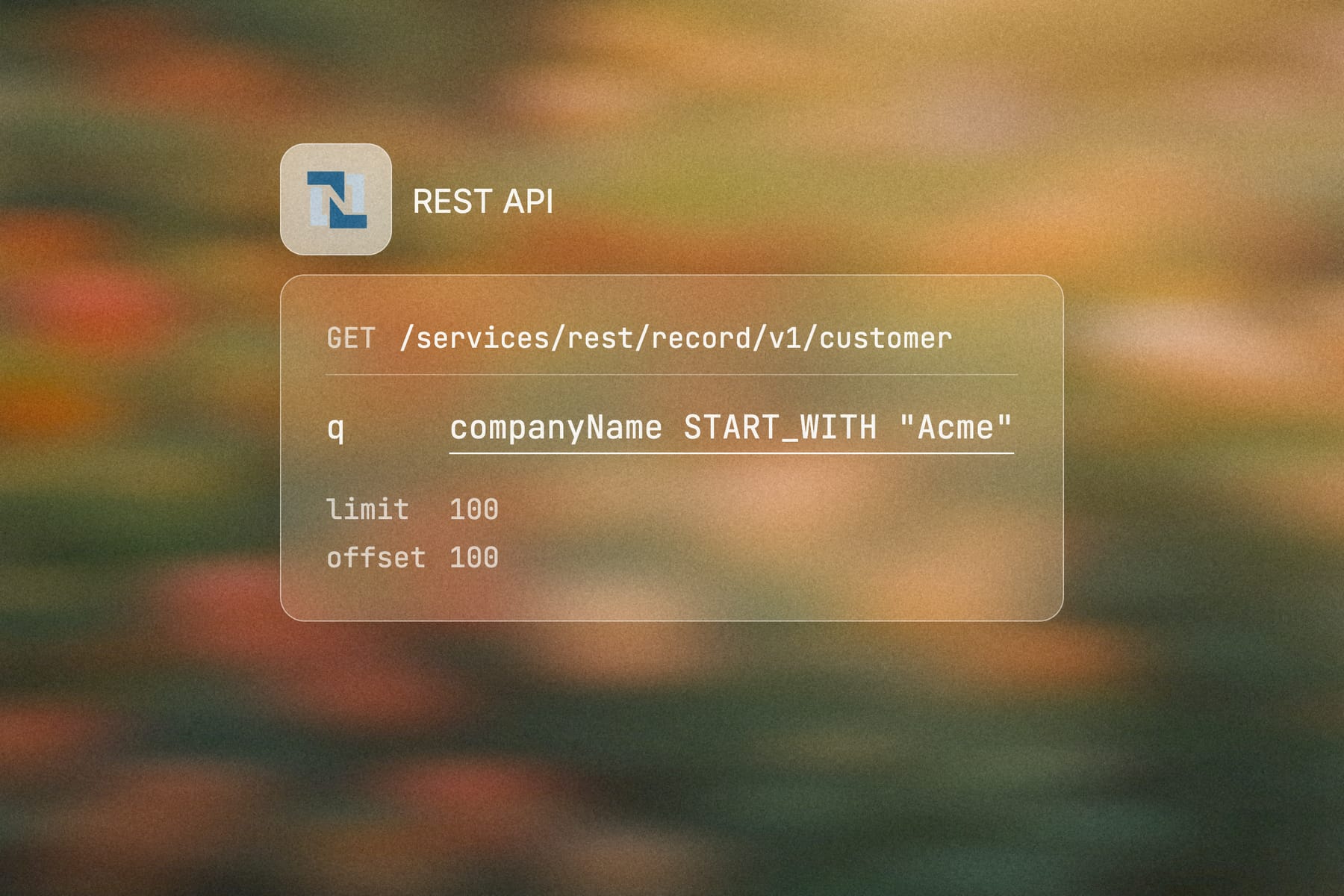
If you are connecting an AI agent to Oracle NetSuite, the first thing it has to get right is how to ask for data. NetSuite's REST API uses a query parameter, called "q", in two different ways, and mixing them up is the most common reason a lookup quietly returns the wrong records.
In the paragraphs below, you will see how to format those queries, handle custom fields and pagination, and keep an agent's reads reliable.
Key Takeaways
- Use the "q" URL parameter for record collection filtering on record endpoints, and encode string values with double quotes.
- Reach for SuiteQL through REST Web Services when your lookup needs selected columns, joins, or SQL-style predicates.
- Add property validation headers during development so unrecognized fields and custom fields fail visibly instead of producing misleading results.
- Treat pagination as part of the agent contract, since incomplete pages can give an agent partial context.
- Engini provides a managed execution layer for AI agents that need governed access to systems of record, with scoped permissions and an audit trail built into the platform.
Formatting the "q" Parameter for Record Collection Filtering
For NetSuite REST API query parameters, "q" is a URL query parameter used with HTTP GET on record collection endpoints. In SuiteTalk REST Query Parameters, this pattern is documented as record collection filtering, and the format is a filter expression after "?q=".
So, we recommend using this pattern when your agent needs to look up records such as customers, vendors, items, or transactions by fields exposed on that record collection. Note, however, that the examples below use placeholder values and should not be treated as live account data.
Building the GET Request
The following GET request searches for customers whose company name starts with “Acme” and whose email address contains “example.com”:
GET /services/rest/record/v1/customer?q=companyName%20START_WITH%20%22Acme%22%20AND%20email%20CONTAIN%20%22example.com%22 HTTP/1.1
Host: ACCOUNT_ID.suitetalk.api.netsuite.com
Authorization: Bearer ACCESS_TOKEN
Accept: application/json
Decoded, the filter expression reads:
companyName START_WITH "Acme" AND email CONTAIN "example.com"Reading the Collection Response
A typical collection response contains items, pagination metadata, and HATEOAS links.
{
  "links": [
    {
      "rel": "self",
      "href": "https://ACCOUNT_ID.suitetalk.api.netsuite.com/services/rest/record/v1/customer?q=companyName%20START_WITH%20%22Acme%22"
    }
  ],
  "count": 1,
  "hasMore": false,
  "items": [
    {
      "links": [
        {
          "rel": "self",
          "href": "https://ACCOUNT_ID.suitetalk.api.netsuite.com/services/rest/record/v1/customer/123"
        }
      ],
      "id": "123"
    }
  ],
  "offset": 0,
  "totalResults": 1
}
This is considered the right pattern for narrow lookups. For example, an agent can first resolve a customer ID before requesting the full record. That keeps the lookup deterministic and reduces the chance that the agent works from a broad result set.
The same pattern applies to vendor management lookups. For example, an agent can resolve a vendor record by an approved field before retrieving the full record or proposing a downstream action.
Supported Logical Operators and Syntax Rules
Quoting String and Date Values
NetSuite's record collection filtering syntax is strict. Oracle's record filtering documentation lists operators such as "IS", "START_WITH", logical "AND", and logical "OR", and your URL must encode spaces and double quotes.
Additionally, string and date values should stay inside double quotes because NetSuite expects quoted literals in the filter expression:
companyName IS "Acme Corporation"Combining Filters with Logical Operators
Logical operators combine filters when the lookup needs more than one condition:
companyName START_WITH "Acme" AND email CONTAIN "example.com"Developers often search for "CONTAINS", but NetSuite filter examples use "CONTAIN" in the expression syntax. Because of this, make sure to validate the exact operator name against Oracle documentation for your endpoint before generating filters.
Grouping Conditions with Parentheses
Use parentheses when mixing "AND" and "OR" so your agent doesn't rely on implicit precedence:
(companyName START_WITH "Acme" OR companyName START_WITH "Acm") AND isinactive IS "F"The URL-encoded version goes into "q=":
GET /services/rest/record/v1/customer?q=%28companyName%20START_WITH%20%22Acme%22%20OR%20companyName%20START_WITH%20%22Acm%22%29%20AND%20isinactive%20IS%20%22F%22 HTTP/1.1
Host: ACCOUNT_ID.suitetalk.api.netsuite.com
Authorization: Bearer ACCESS_TOKEN
Accept: application/json
Filtering by Date
For date filters, format the value exactly as NetSuite expects for the field and endpoint you’re querying. Keep the value inside double quotes in the filter expression:
lastModifiedDate AFTER "2024-01-01T00:00:00Z"Note: When your agent builds these filters, treat the expression as a generated artifact, making sure to log the decoded version and the encoded URL version. That makes failures easier to reproduce outside the agent runtime.
Catching Silent Errors with Property Validation Headers
Custom fields are where "q=" filtering often gets brittle. A misspelled field ID, a field that is not exposed for that record, or one that behaves differently across environments can produce confusing results.
Sending the Property Validation Header
During development, send NetSuite’s property validation header so unrecognized fields fail visibly:
GET /services/rest/record/v1/customer?q=custentity_agent_region%20IS%20%22EMEA%22 HTTP/1.1
Host: ACCOUNT_ID.suitetalk.api.netsuite.com
Authorization: Bearer ACCESS_TOKEN
Accept: application/json
X-NetSuite-PropertyNameValidation: error
If "custentity_agent_region" is not recognized in that account context, the request should fail instead of giving your agent an empty or misleading result. A hard stop here is far safer than a silent, misleading result when the lookup feeds a later write action.
Make sure to use this header when validating:
- Custom fields on customer, vendor, item, and transaction records.
- Customized objects and fields across sandbox and production.
- Agent-generated filters that come from metadata or user prompts.
- Migration work where field IDs may differ by environment.
Confirming Field IDs Before Generating Filters
NetSuite exposes metadata that can help you confirm field IDs before generating filters. With that said, when building filters from metadata, check whether the field is filterable before adding it to "q=". If your metadata exposes filterability indicators such as "x-ns-filterable", inspect them before allowing an agent to build a filter against that field.
For agent lookups, make sure to also store approved record types, field IDs, and filterability in a metadata catalog. That catalog should then drive query generation instead of asking the agent to infer custom field names from natural language.
Tip: If the custom field isn't available, fail the lookup with a clear error. Don't let the agent infer that no record exists.
Executing SuiteQL Queries Through REST Web Services
SuiteQL Queries Through REST Web Services use a POST request and put the SQL-style query in the JSON body parameter named "q".
Use SuiteQL when your agent needs a shaped result set rather than a full record response – it works well for lookups that need selected columns, joins, calculated filters, or reporting-style retrieval.
Sending a SuiteQL Request
The following POST request uses SuiteQL to retrieve the ID, customer code, company name, and email address of customers whose company name starts with “Acme”:
POST /services/rest/query/v1/suiteql HTTP/1.1
Host: ACCOUNT_ID.suitetalk.api.netsuite.com
Authorization: Bearer ACCESS_TOKEN
Content-Type: application/json
Accept: application/json
Prefer: transient

{
  "q": "SELECT id, entityid, companyname, email FROM customer WHERE companyname LIKE 'Acme%'"
}
A more simplified response looks like this:
{
  "links": [
    {
      "rel": "self",
      "href": "https://ACCOUNT_ID.suitetalk.api.netsuite.com/services/rest/query/v1/suiteql"
    }
  ],
  "count": 1,
  "hasMore": false,
  "items": [
    {
      "id": "123",
      "entityid": "CUST-123",
      "companyname": "Acme Corporation",
      "email": "billing@example.com"
    }
  ],
  "offset": 0,
  "totalResults": 1
}
Choosing the Right Query Type
The difference comes down to location. The "q" parameter for record collection filtering belongs in the URL, while the "q" parameter for SuiteQL belongs in the JSON body.
For more details, check out the table below.
| Need | Use | Request Shape |
|---|---|---|
| Filter a record collection by exposed fields. | record collection filtering | "GET /services/rest/record/v1/{recordType}?q=..." |
| Return selected columns. | SuiteQL | "POST /services/rest/query/v1/suiteql with { "q": "SELECT ..." }" |
| Join related records. | SuiteQL | POST with SQL-style query |
| Retrieve a full record by ID. | Record endpoint | "GET /services/rest/record/v1/{recordType}/{id}" |
For an agent lookup, SuiteQL often gives cleaner context as the agent gets only the fields it needs instead of a full record with nested structures and links.
Using Bound Parameters for Secure Inputs
Bound parameters keep user input out of raw query strings. Oracle’s SuiteScript N/query module supports SuiteQL execution with parameters, and those parameters are anonymous placeholders represented by "?".
For REST SuiteQL, we recommend checking your account’s supported request shape before assuming parameter binding in the JSON body. If your wrapper or execution layer supports anonymous parameters, keep the query text stable and bind values separately.
Conceptually, the query should look like this:
SELECT id, entityid, companyname, email
FROM customer
WHERE email = ?
Keeping Prompt Input Out of the Query
The bound value should be supplied outside the SQL text by the execution mechanism that supports the parameter. Make sure not to concatenate (join as one string) prompt input directly into SuiteQL:
Unsafe pattern:
WHERE email = '" + user_supplied_email + "'Allowlisting Fields and Templates
Use an allowlist for field names and table names, since bound parameters protect values rather than identifiers. For agent-generated lookups, that means the agent can choose from approved query templates, but it should not freely invent table names, field names, or joins.
A safer agent pattern is:
{
  "lookupName": "customer_by_email",
  "inputs": {
    "email": "billing@example.com"
  }
}
Your management layer then maps "lookupName" to a reviewed SuiteQL template. That keeps the agent from turning natural language into unrestricted SQL.
Handling the Prefer: Transient Header
Oracle's SuiteQL REST documentation requires the "Prefer: transient" header for SuiteQL query requests. This mean you need to include it on every POST request to "/services/rest/query/v1/suiteql".
POST /services/rest/query/v1/suiteql HTTP/1.1
Host: ACCOUNT_ID.suitetalk.api.netsuite.com
Authorization: Bearer ACCESS_TOKEN
Content-Type: application/json
Accept: application/json
Prefer: transient
Watching the Result Limit and Pagination
Oracle also documents a 100,000 result limit for SuiteQL through REST Web Services. That limit is easy to miss for agents, because a partial result set can look valid unless your code checks "hasMore", "count", "offset", and "totalResults".
Note: Don't let an agent consume a SuiteQL response as complete unless pagination has finished. If the lookup can return a large result set, force a narrower predicate before the agent sees the data.
Bounding Agent Lookups
For example, avoid broad prompts, such as:
Find all open invoices for review.
A bounded lookup contract gives the agent safer context because it constrains the result set:
{
  "lookupName": "open_invoices_by_customer_and_date_range",
  "inputs": {
    "customerId": "123",
    "startDate": "2024-01-01",
    "endDate": "2024-01-31"
  }
}
That contract gives the agent useful context without turning SuiteQL into an unbounded data extraction path.
Managing Pagination with "limit" and "offset" Parameters
Requesting Pages with "limit" and "offset"
Pagination isn't really optional for agent lookups. NetSuite REST responses can return partial result sets, so your agent must continue requesting pages until the response indicates there are no more records. Use "limit" and "offset" with both record collection requests and SuiteQL REST requests when the result set can exceed one page.
GET /services/rest/record/v1/customer?limit=100&offset=0&q=companyName%20START_WITH%20%22Acme%22 HTTP/1.1
Host: ACCOUNT_ID.suitetalk.api.netsuite.com
Authorization: Bearer ACCESS_TOKEN
Accept: application/json
A more simplified paginated response looks like this:
{
  "count": 100,
  "hasMore": true,
  "offset": 0,
  "totalResults": 247,
  "items": [
    {
      "id": "123",
      "links": [
        {
          "rel": "self",
          "href": "https://ACCOUNT_ID.suitetalk.api.netsuite.com/services/rest/record/v1/customer/123"
        }
      ]
    }
  ],
  "links": [
    {
      "rel": "next",
      "href": "https://ACCOUNT_ID.suitetalk.api.netsuite.com/services/rest/record/v1/customer?limit=100&offset=100&q=companyName%20START_WITH%20%22Acme%22"
    }
  ]
}
The next request then advances the "offset":
GET /services/rest/record/v1/customer?limit=100&offset=100&q=companyName%20START_WITH%20%22Acme%22 HTTP/1.1
Host: ACCOUNT_ID.suitetalk.api.netsuite.com
Authorization: Bearer ACCESS_TOKEN
Accept: application/json
For SuiteQL, the same pattern applies at the endpoint level:
POST /services/rest/query/v1/suiteql?limit=100&offset=0 HTTP/1.1
Host: ACCOUNT_ID.suitetalk.api.netsuite.com
Authorization: Bearer ACCESS_TOKEN
Content-Type: application/json
Accept: application/json
Prefer: transient

{
  "q": "SELECT id, tranid, entity, status FROM transaction WHERE type = 'SalesOrd'"
}Tip: Your pagination loop should stop only when "hasMore" is false or when the API response no longer provides a next page. We recommend not stopping after the first successful "200 OK".
A Safe Agent Retrieval Loop
A safe agent retrieval loop uses this control flow:
- Set an explicit "limit".
- Start at "offset"=0.
- Send the request and parse items.
- Store the page result outside the model context.
- Check "hasMore" and the response links.
- Advance "offset" or follow the next link.
- Stop only after the final page.
- Pass a bounded summary or selected records to the agent.
How Index Pagination Works
With index pagination, the client controls page position through "offset". Cursor-based pagination works differently because the next page state comes from an opaque cursor or continuation token.
NetSuite REST responses also include HATEOAS links. In practice, you can treat the next link as the safer page contract because it preserves the API’s exact next request shape.
Why Pagination State Belongs in Your Code
For an agent, incomplete pagination has a specific failure mode attached. The agent may see 100 records, infer that the list is complete, and then choose the wrong customer, vendor, invoice, or sales order.
That can cascade into a bad recommendation or a blocked write. So, the pagination state should also belong in your agent management code as opposed to the agent’s reasoning alone.
Handling Retries and Concurrency
For retry behavior, handle "429" and transient "5xx" responses outside the model. Use bounded exponential backoff, preserve the same query inputs, and make retries idempotent from the caller’s perspective.
For concurrent agent lookups, we also suggest enforcing your own request queue and respecting any concurrency limits that apply to your account, role, integration, or connected runtime.
Expanding Sublists and Handling Record Replacements
Expanding Sublists with the "expand" Parameter
Record collection responses often return compact items and HATEOAS links instead of full nested record data. If your agent needs sublist details, request the specific record and use the "expand" parameter where the NetSuite REST record API supports it.
A simple record request may return links and top-level fields:
GET /services/rest/record/v1/salesOrder/456 HTTP/1.1
Host: ACCOUNT_ID.suitetalk.api.netsuite.com
Authorization: Bearer ACCESS_TOKEN
Accept: application/json
Similarly, a request with expansion asks NetSuite to include more nested detail in the response:
GET /services/rest/record/v1/salesOrder/456?expandSubResources=true HTTP/1.1
Host: ACCOUNT_ID.suitetalk.api.netsuite.com
Authorization: Bearer ACCESS_TOKEN
Accept: application/jsonNote: For best results, check the supported parameter name and behavior in your account and endpoint version. As for agent lookups, make sure to avoid giving the model only a link when it needs line-level facts. A sales order lookup that omits item lines may be enough for identity resolution, but not enough for fulfillment, billing, or exception review.
Handling Record Replacements with PUT
PUT operations need the same care. A PUT request generally represents a replacement-style operation, so you need to understand whether the record, subresource, or sublist handling uses a "replace" parameter for the operation you're calling.
A safe replacement pattern looks like this:
PUT /services/rest/record/v1/customer/123?replace=addressbook HTTP/1.1
Host: ACCOUNT_ID.suitetalk.api.netsuite.com
Authorization: Bearer ACCESS_TOKEN
Content-Type: application/json
Accept: application/json

{
  "companyName": "Acme Corporation",
  "addressbook": {
    "items": [
      {
        "defaultBilling": true,
        "addressbookaddress": {
          "addr1": "100 Main Street",
          "city": "Boston",
          "state": "MA",
          "zip": "02110",
          "country": "US"
        }
      }
    ]
  }
}
With that said, never let the agent construct a replacement payload from memory. Instead, fetch the current record, validate the intended change, apply the smallest allowed update, and log both the request and response.
Customized objects and fields are exactly where that control pays off. Native NetSuite APIs can expose custom records and custom fields, but your execution layer still needs to manage schema drift, permissions, and payload rules across environments.
How Engini Can Help You Connect Agents Across Systems
If your agent needs to write to NetSuite or coordinate work across CRM and ERP, Engini gives you a managed execution layer between your agents and your systems of record. Actions you route through Engini become logged, permissioned workflows with scoped permissions and an audit trail, while NetSuite still enforces its own roles, field rules, record validation, and transaction constraints.
For example, you could configure an Engini workflow that lets a support agent retrieve a customer’s open invoices from NetSuite and add a summary to their Zendesk ticket. At the same time, scoped permissions can allow invoice reads and ticket updates while keeping payment changes outside the agent’s access, with both steps being clearly recorded in the audit trail.
Next Steps for Your Enterprise Agent Connectivity
To recap, use "q" filtering when the agent needs a narrow record lookup, and reach for SuiteQL when it needs shaped, SQL-style data. In both cases, pagination, custom fields, and validation headers belong in your implementation contract rather than the agent's reasoning.
A working NetSuite REST query is only the first step, though. If your use case is a simple two-app sync, a native feature or deterministic automation may be enough, but once your agent needs to read, decide, and act across systems of record, the connection layer becomes something you have to govern and maintain.
So, if your agent only reads from Oracle NetSuite, you can keep the control surface small. Once it starts writing to NetSuite or coordinates work across CRM and ERP, however, you will need a governed execution layer like Engini that makes each action easily traceable.
Agent gateway
Ship agents into systems you can’t afford to break
Agent gateway and workflow automation on one iPaaS core: MCP, SDK, API, or canvas, with secure auth, audit trail and tool permissions built in.
Frequently Asked Questions
How should an agent choose between "q" filtering and SuiteQL?
Use "q=" filtering when the agent needs to find records by fields on one record collection. Use SuiteQL instead when the lookup needs selected columns, joins, or reporting-style output.
Why does a NetSuite query return an empty result for a custom field?
An empty result can mean the field value does not match, but it can also mean the field ID, exposure, or record context is wrong. During development, use "X-NetSuite-PropertyNameValidation: error" so unrecognized fields fail visibly.
Also, confirm the field ID against metadata for the same account and environment. This is because sandbox and production environments can differ after customization work or deployment gaps.
Should the pagination state live in the agent prompt?
No. The pagination state should live in application code or orchestration logic because it is an execution state instead of a reasoning context.
So, while your agent can request a lookup, your code should collect every page, validate completeness, and pass only the bounded result back to the model. This will, in turn, avoid partial context and reduce the chance of a wrong downstream action.
Can NetSuite REST APIs handle custom records and fields natively?
Yes, native NetSuite capabilities can handle custom records and custom fields when they are exposed and permitted for the role and endpoint. The work for an AI agent is keeping field IDs, permissions, metadata, and payload rules consistent across environments.
What should happen after a failed write to NetSuite?
A failed write should be reviewed before retrying. Correct the cause, verify the destination state, and then retry where supported and safe.
For customer, order, invoice, or payment creation, a good practice is to also include an idempotency strategy or duplicate check. After all, a retry should not create a second record just because the first response timed out or the caller lost a given state.